Xmas Scene Designer (Web)
Overview
Xmas Scene Designer (Web Version) is a simple program that lets you design and decorate your own Xmas scene! It is great for individual children, classrooms, childcare settings or just a festive bit of fun for the family.
Xmas Tree Designer...
- is safe (developed by a Primary School teacher and Childcare Setting manager)
- runs in a web browser (but with no annoying ads, no sign-ups, no in-app purchases and no tracking)
- is free (although a donation will support further development of this and other tools!)
- has been tested on large interactive touch screens, Chromebooks, large tablets, etc.
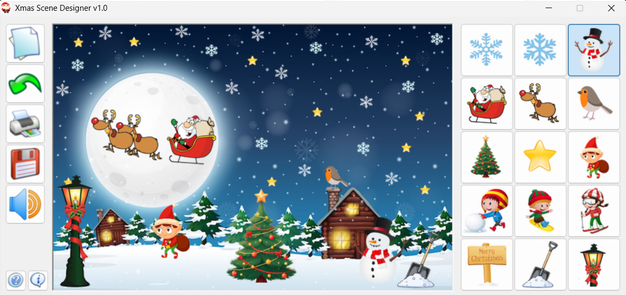
Please note, the screen shots here are from the downloadable version, but the functionality and layout is the same as for the web version other than the print function.
The downloadable version, that works without the need for an internet connection, is available here...
Features
Xmas Scene Designer features the following:
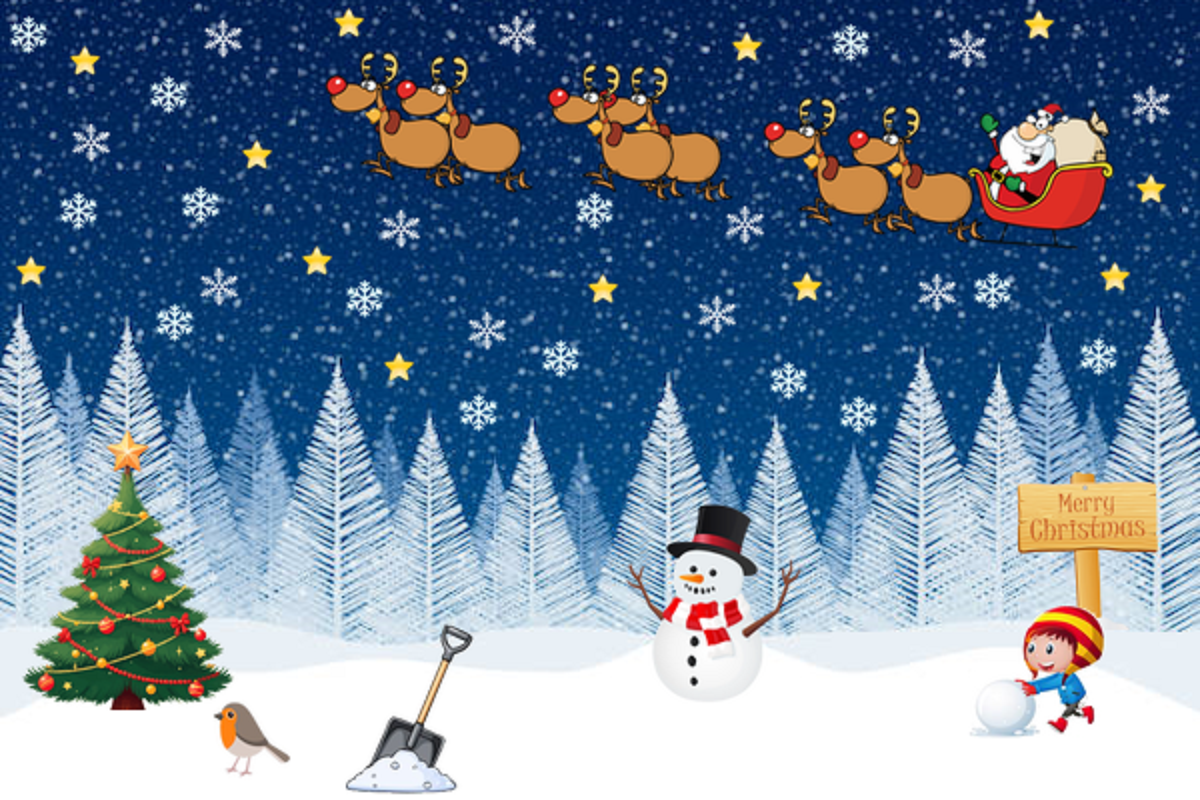
- 4 background scenes to choose from
- 15 'stamps' to decorate the scene
- Unlimited 'Undo'
- Audio cues for main program actions
- Save the design as an image to share with family and friends
Requirements
Xmas Scene Designer (Web Version) should run in most common web browsers running on interactive displays, laptops, Chromebooks, large tablets and other devices with touch-sensitive screens.
Although it works best with a screen mode of at least 1024x768, you can use the zoom function of your browser to zoom the page in or out to best fill the screen of your device with the Xmas Scene Designer window.
Instructions
When Xmas Scene Designer opens, you’ll first see a small window that lets you choose one of four backgrounds. Once one is selected, the main window becomes active. It consists of:
- program control icons on the left
- the main design window in the centre
- a selection of stamps on the right
The control icons allow you to:
- start a new design (white paper icon)
- undo the last stamp placed on the tree (green arrow icon)
- save the design as a JPG image file (red disk icon)
- turn sounds off and on (speaker icon)
- open mini help (question mark icon)
- view program information (speech bubble icon)
To 'decorate' the scene, simply click or tap one of the stamps on the right, then click or tap on the background. Simple!
Support
Basic support is available through the Itch.io community forum for Xmas Scene Designer PC version. Visit here...
Freeware License
Copyright (c) 2025 Andrew Vaisey. All rights reserved.
This software is provided free of charge. No warranty is expressed or implied. Use at your own risk. Commercial use requires written permission from the author.
Credits
Programming by Andrew 'aNdy' Vaisey.
Testing by Ryley, Zachary and Cariad
Thanks to the children and staff of Little Chums Day Nursery!
Have fun and Merry Christmas!